
Download the AIChE App
Access and stay connected to your AIChE Communities, Events, and Resources on your phone or mobile device with the NEW AIChE app.
...
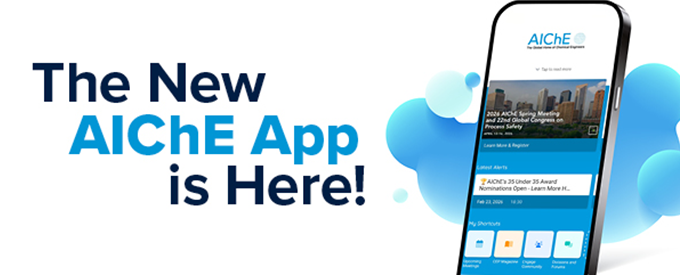
Stay connected with the NEW AIChE App!
Download the AIChE app today on your mobile device. The 2026 AIChE Spring Meeting & 22nd GCPS module is live!
| SCAN: Use your devices QR code scanner to quickly find the AIChE app. |  | |
SEARCH: The App Store or Google Play for “AIChE” | ||
 |  | |
| Once you have downloaded and opened the app, find the "Events" tab and choose 2026 Spring & 22nd GCPS. Should you have any questions, please contact programming@aiche.org | ||
Be sure to refresh your app daily by clicking the update icon on the bottom of the main menu, to get the latest Meeting updates.
Within the AIChE mobile app, you can enhance your Spring Meeting experience:
- Stay organized with up-to-the-minute Exhibitor, Speaker, and Event information.
- Sync the app across all your devices with Multi-Device Sync, simply by logging in with the same email account.
- Receive important real-time communications from AIChE.
- Build a personalized schedule and bookmark exhibitors.
- Scan attendee QR codes and collect business cards to reference later.
- Check-in for the sessions you attend and leave notes for your convenience.
- Browse and message other attendees open to conversation in the Directory.
- Stay in-the-know and join the conversation using the Social Media icon.
- And much, much more!
Take full advantage of these features of the AIChE App:
- Event Logistics: All your on-site information can be found here! Locate maps to find your session rooms and the exhibit hall, along with Wi-Fi details and relevant hours for the Meeting.
- Exhibitor pdfs: AIChE is pleased to continue to bring the 2026 AIChE Spring Meeting & 22nd Global Congress on Process Safety attendees, sponsors and exhibitors this feature for the mobile application, designed to enhance the conference experience and to provide valuable information for all app users. Companies can upload (.pdfs only) materials to brand their company's mobile app details page.
- Selected Sessions: Find all your bookmarked presentations in one place in the schedule by clicking on the "Selected" filter.
- Filters: Filter the schedule and see only what you want to see, including highlighting specific days or removing poster sessions
- View by Group/Topical: Condense your schedule to just your desired Group or Topical Conference within the Meeting, narrowing down to the Area level.
- Attendee Survey: Let us know how we’re doing, and fill out a quick and easy survey for the Spring Meeting.